A vulnerability risk acceptance record must identify the finding and its scope, state why it is being accepted and what risk remains, and name the requester and an approver with the authority to accept that risk. It must carry a decision date, an expiry date and the events that force an earlier review, with evidence attached. Anything less is an exception nobody can audit, renew or withdraw with confidence.
When risk acceptance is the right response
NIST SP 800-40 Rev. 4, Section 2.1, lists four risk responses: accept, mitigate, transfer and avoid. To accept is to “Accept the risk from vulnerable software as is, such as by relying on existing security controls to prevent vulnerability exploitation or by determining that the potential impact is low enough that no additional action is needed.”
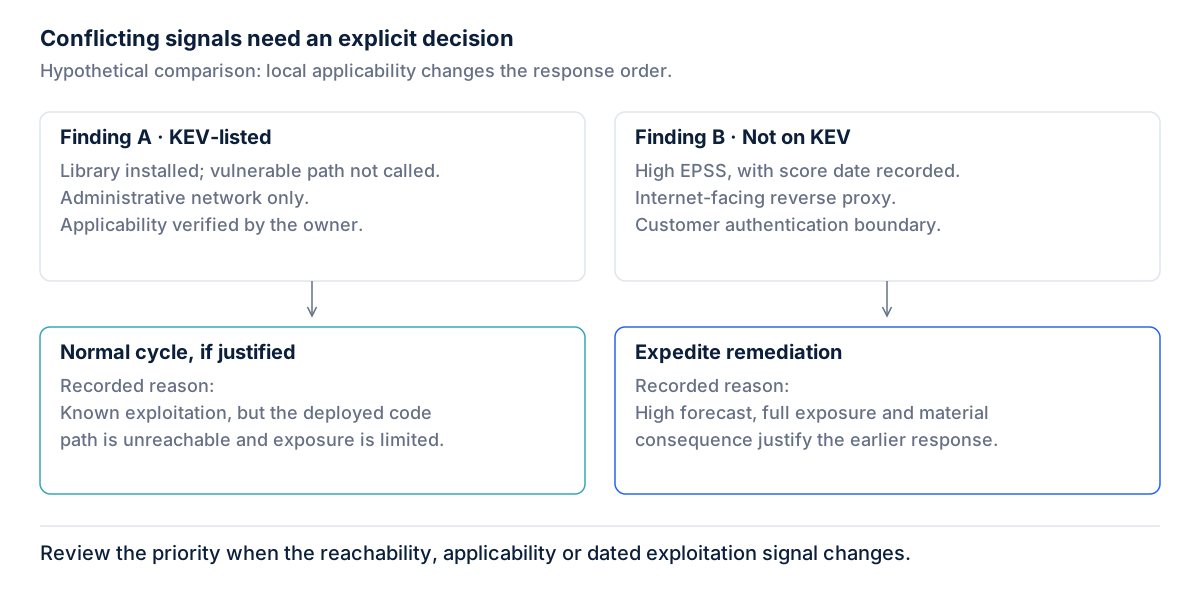
That makes acceptance a legitimate choice, not a failure. It fits when the impact is low, when existing controls already block the attack path, or when remediation would cost more than the risk it removes. It does not fit when nobody has looked at the finding, or when the real reason is that the fix is inconvenient this sprint. NIST SP 800-53 Rev. 5, control RA-7, frames the option as “accepting risk with appropriate justification or rationale.” The record is where that justification lives.
Section 2.1 also notes that “By default, an organization accepts the risk posed by using its software.” A record turns that implicit default into an explicit decision with an owner, a reason and an end date.
The fields a record must carry
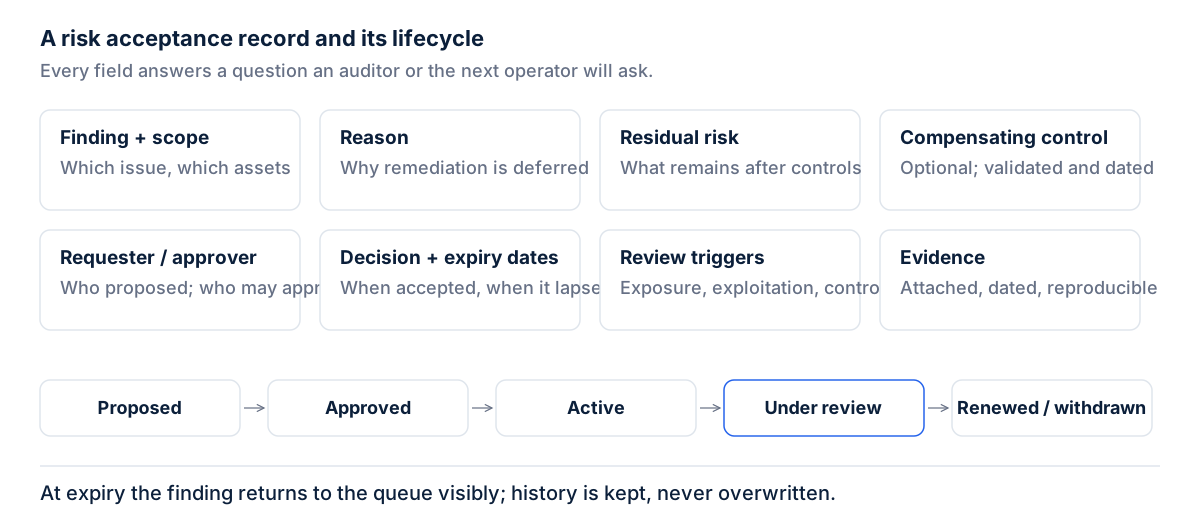
- Finding and affected scope. Name the finding and list the assets by identifier, so the acceptance cannot silently grow to cover hosts nobody reviewed.
- Reason. State why acceptance was chosen over mitigation, transfer or avoidance, because a future reviewer has to judge whether that reason still holds.
- Residual risk statement. Describe what an attacker could still do, because that sentence is what the approver is actually accepting.
- Compensating control, if any. Describe the control and how it was validated; choosing and validating a compensating control covers what that evidence looks like.
- Requester. Record who asked, so questions at review time go to someone who knows the system.
- Approver with authority. Name a person whose role allows them to accept risk for that asset, because a sign-off from someone without that authority does not hold.
- Decision date. Record when the decision was made, so reviewers can tell what was known at the time.
- Expiry date. Set a fixed end date, because an acceptance without one becomes permanent by default.
- Review triggers. List the events that reopen the decision before expiry: a change in exposure, new evidence of exploitation, failure of the compensating control, or a patch becoming available.
- Evidence attached. Keep the scan output, test results and approval itself with the record, not in someone’s inbox.
The lifecycle
An acceptance moves through a small set of states: proposed, approved, active, under review, and then renewed or withdrawn. Proposed means the requester has filled in the record and the approver has not decided. Active means approved and inside its validity window. Under review means expiry is near or a trigger fired. Renewal is a fresh decision with a new date and a new approval, not an edit to the old one. Withdrawn means the acceptance ended early: the patch shipped, the asset was retired, or a trigger showed the reasoning no longer held. A withdrawn record is not deleted; it explains why the finding was risk accepted for a period and what changed.
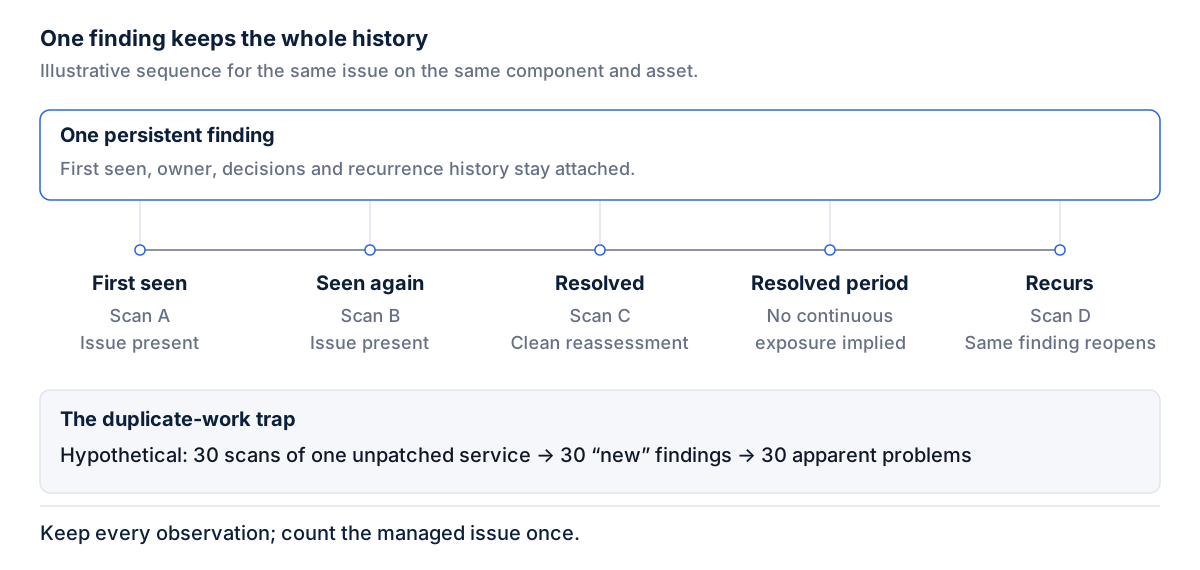
Keep the history. Each state change should record who made it, when and why, and earlier versions should remain readable. A rescan must not overwrite any of this; a rescan should not erase a risk decision explains why the operator’s decision has to outrank the scanner’s latest observation.
What happens at expiry
When an acceptance expires, the finding goes back into the remediation queue, visibly, with its history attached. It does not stay risk accepted because nobody acted, and it does not roll forward a year by default. SP 800-40 Rev. 4, Section 2.2, asks organizations to “Continuously monitor the risk response,” and an expired acceptance that still suppresses a finding is a response nobody is monitoring.
If the owner wants to keep accepting the risk, they request a renewal and the approver decides again with current information. CIS Controls v8.1, Safeguard 7.2, asks organizations to “Establish and maintain a risk-based remediation strategy documented in a remediation process, with monthly, or more frequent, reviews.” An expiring acceptance is exactly the kind of item those reviews should surface.
Reporting on acceptances
Report what helps someone act: the count of active acceptances, the age of each, which ones expire soon, and how they break down by owner. A team carrying many old acceptances on one system has a different problem than a team with a few recent ones spread across many. An acceptance renewed repeatedly with an unchanged reason deserves a harder look than a new one.
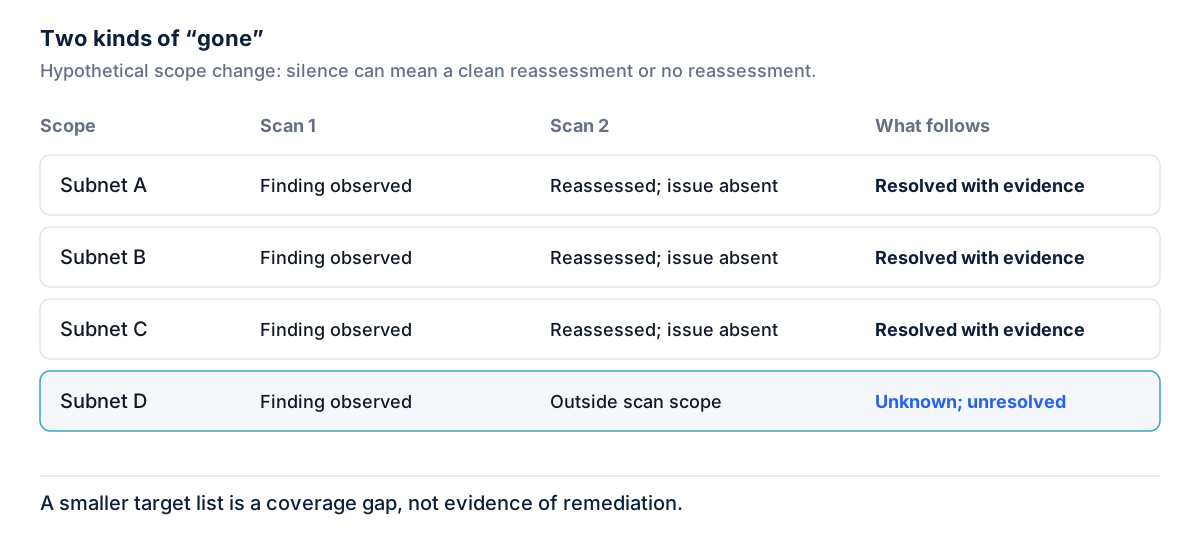
Avoid figures that only look good. A rising count of findings closed is meaningless if many were moved to risk accepted rather than resolved. Keep risk accepted findings in the unresolved count and report them as a separate category, so acceptance cannot be used to make a backlog disappear.
A reusable template
The example values below are hypothetical and exist only to show the expected level of detail.
| Field | Required | Example value (hypothetical) |
|---|---|---|
| Finding | Yes | Example vulnerability in the web management interface of a lab appliance |
| Affected scope | Yes | Asset IDs EXAMPLE-001 and EXAMPLE-002 |
| Reason | Yes | Vendor fix not yet released; appliance due for retirement |
| Residual risk statement | Yes | Exploitable by anyone who reaches the admin subnet |
| Compensating control | If any | Interface restricted by ACL to the admin subnet; validated from outside |
| Requester | Yes | Jane Example, system owner |
| Approver | Yes | John Example, head of infrastructure |
| Decision date | Yes | 2099-01-15 |
| Expiry date | Yes | 2099-04-15 |
| Review triggers | Yes | Patch released; exposure change; exploitation evidence; ACL removed |
| Evidence | Yes | Scan output, external test result, signed approval |
| Status | Yes | Active |
In practice
- Pick three active acceptances at random. Can you name the approver, the expiry date and the residual risk for each without asking anyone?
- Check whether any acceptance has no expiry date, and decide one before the next review.
- Confirm that an expired acceptance returns the finding to the queue rather than leaving it hidden.
- Ask whether a patch release or a firewall change would reach the owner of the related acceptance.
Sectie’s Exposure & Vulnerability Management product keeps a risk acceptance next to the finding, with its reason, approver and expiry, and a scan never silently overrides it.